





Geometry Dash is a rhythm-based platformer where precision, timing, and consistency matter more than graphics quality or visual effects. A small delay, touch lag, or frame drop can be the difference between completing a level and starting over. Because of this, the device you play on has a direct impact on your performance and overall experience.
This guide explains what makes a device suitable for Geometry Dash and highlights the types of devices that deliver smooth, reliable gameplay.
Why Device Choice Matters in Geometry Dash
Geometry Dash relies heavily on stable frame rates, accurate touch response, and consistent performance during long play sessions. Unlike many modern games, it does not require high-end graphics hardware, but it strongly depends on consistency and responsiveness. Devices that throttle performance, drop frames, or introduce touch input delays can disrupt timing and make even simple levels frustrating to complete.
Key Factors That Affect Geometry Dash Performance
Stable Frame Rate
Geometry Dash runs best on devices that can maintain a consistent frame rate without drops. Sudden frame dips disrupt timing, especially in fast-paced or rhythm-heavy levels.
Touch Response and Screen Quality
Fast and accurate touch input is critical. Devices with poor touch sampling or unresponsive screens can cause delayed jumps, making difficult levels nearly impossible.
Processor Performance
While Geometry Dash is not resource-heavy, a stable processor ensures smooth gameplay, particularly in custom levels with heavy object usage.
Operating System Optimization
Well-optimized operating systems help reduce background interruptions, performance throttling, and input delays during gameplay.
Best Device Types for Playing Geometry Dash
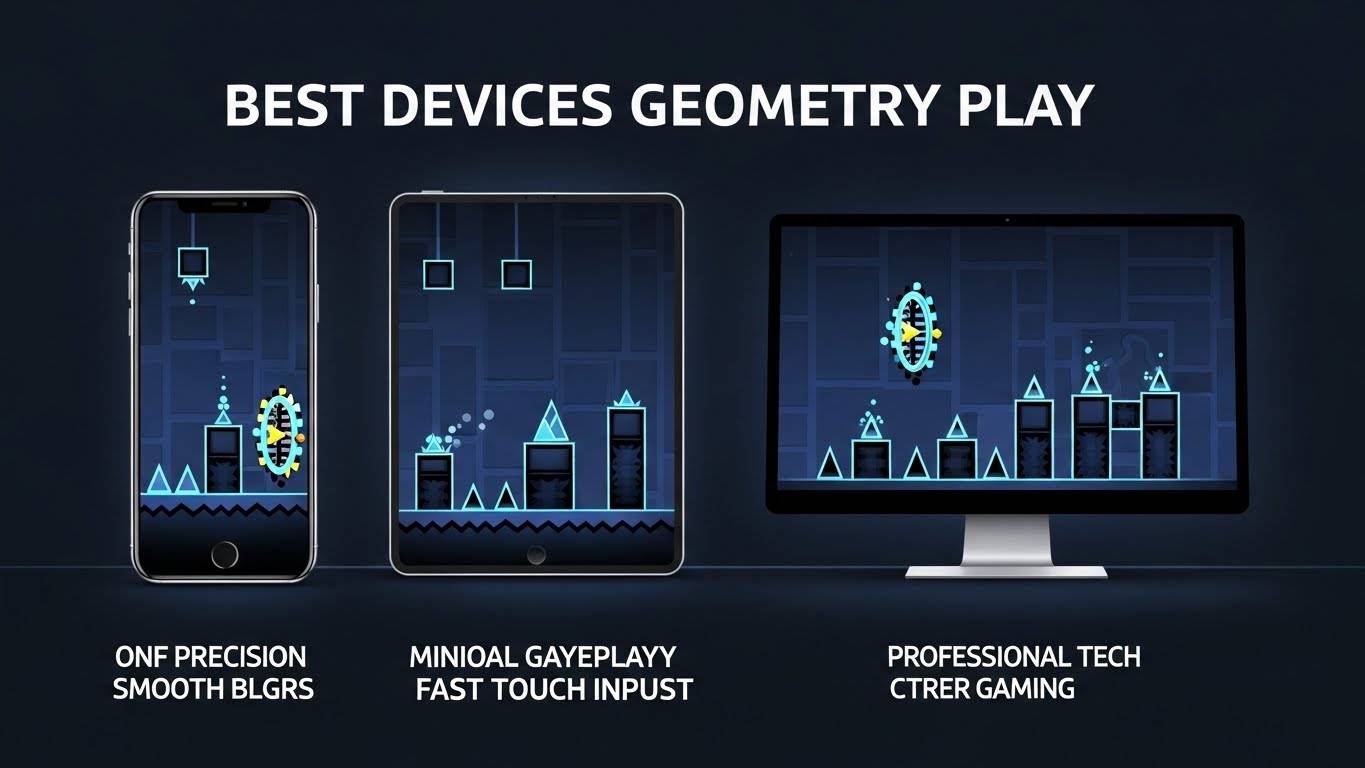
Not every phone, tablet, or computer delivers the same experience in Geometry Dash. Because the game depends on precise timing and consistent input, the right device can make gameplay smoother, more predictable, and far less frustrating, especially on harder levels. Below are the device types that usually perform best, along with what makes them suitable.
iOS Devices
iPhones and iPads are widely considered some of the best devices for Geometry Dash due to their strong balance of performance and input accuracy. Apple’s hardware and software optimization helps the game run smoothly across different models, even during long play sessions.
Why iOS devices work well for Geometry Dash:
- Smooth and stable frame rates
- Highly responsive and accurate touch screens
- Strong system-level optimization
- Consistent performance across updates and sessions
Because of this reliability, many professional and competitive players prefer iOS devices for both practice and high-difficulty runs.
Android Devices
High-quality Android phones and tablets can also provide excellent Geometry Dash performance, particularly when the device runs clean software and avoids heavy background processes. Many mid-range and high-end Android devices are capable of running the game smoothly.
What to look for in an Android device:
- Clean or lightly modified Android software
- Reliable processor that doesn’t throttle quickly
- Good touch sampling and screen responsiveness
- Stable performance during long sessions
Performance on Android can vary by manufacturer, so choosing a well-optimized device is important for a smooth experience
Tablets
Tablets are a great option for players who want a larger display and more comfortable control. The increased screen size can make complex levels easier to read and reduce finger fatigue during long sessions.
Benefits of playing Geometry Dash on a tablet:
- Better visibility in fast or complex levels
- Reduced hand strain compared to phones
- More controlled and precise tapping
- Comfortable setup for extended play
Both iPads and Android tablets can work well, as long as the tablet maintains consistent performance without lag.
PC (Steam Version)
The PC version of Geometry Dash is ideal for players who prefer keyboard input or want a larger screen for precise gameplay. A basic modern computer is usually enough to run the game smoothly, as it does not rely on advanced graphics hardware.
Advantages of playing Geometry Dash on PC:
- Consistent frame rates
- Precise keyboard or controller input
- Larger display for better visibility
- Easier level creation and editing for creators
Many advanced players and level designers choose the PC version for its stability and flexibility.
Devices to Avoid for Geometry Dash
Some devices struggle with Geometry Dash because they cannot maintain consistent performance. This often leads to lag, input delay, or sudden frame drops that affect timing.
Devices that may cause issues include:
- Older phones with outdated processors
- Low-end tablets with limited performance
- Devices with poor touch response
- Phones with heavy background software
- Devices with aggressive power-saving or battery optimization
For the best experience, it’s better to choose a device that stays stable and responsive rather than one that looks powerful but struggles during actual gameplay.
Tips for Improving Geometry Dash Performance on Any Device
Even on capable devices, small system settings can affect how Geometry Dash performs. Closing background apps before playing helps free up system resources and reduces interruptions that can cause lag. Disabling battery-saving or power-optimization modes during gameplay allows the device to run at full performance, preventing sudden slowdowns. Keeping your device updated to the latest stable operating system version ensures better optimization and bug fixes that can improve stability. Slightly reducing screen brightness can help prevent overheating and thermal throttling during long sessions. It’s also best to avoid playing while charging if your device tends to heat up, as excess heat can reduce performance. These simple adjustments can noticeably improve frame stability, touch responsiveness, and overall consistency.
Quick performance checklist:
- Close all unnecessary background apps
- Turn off battery-saving or power optimization modes
- Update to the latest stable OS version
- Lower screen brightness slightly during long sessions
- Avoid charging the device if it overheats while playing
Choosing the Right Device for Your Play Style
The best device for playing Geometry Dash depends on how you enjoy the game and what you want to achieve. Casual players usually benefit most from devices that offer smooth touch response and comfortable handling, making everyday play more enjoyable. Competitive players, on the other hand, rely on stable frame rates and fast, accurate input to maintain precise timing on difficult levels. Creators and level editors often prefer PCs or devices with larger screens, as they provide better visibility and more control when designing or testing custom levels. Regardless of play style, the most important factor is consistency, not raw hardware power.
How device choice varies by play style:
- Casual players: Smooth touch response and comfortable controls
- Competitive players: Stable frame rates and fast, accurate input
- Creators and editors: Larger screens, keyboard input, and better editing control
Final Thoughts
Geometry Dash rewards precision, rhythm, and persistence. Choosing a device that offers stable performance, accurate touch input, and minimal interruptions can greatly improve both enjoyment and progress.
Rather than chasing the most expensive hardware, focus on a device that delivers reliable, smooth gameplay, allowing you to focus on mastering levels instead of fighting performance issues.
FAQS
1️⃣ Is Geometry Dash better on mobile or PC?
Both are good, but it depends on your play style. Mobile offers direct touch input, while PC provides precise keyboard controls and stable frame rates, which many advanced players prefer.
2️⃣ Do iPhones run Geometry Dash better than Android phones?
iPhones generally offer more consistent performance and touch response, but high-quality Android devices can perform just as well when properly optimized.
3️⃣ Does refresh rate matter for Geometry Dash?
A stable refresh rate matters more than a high one. Consistent performance without frame drops improves timing and accuracy during gameplay.
4️⃣ Can low-end phones run Geometry Dash smoothly?
Some can, but older or low-end devices may struggle with custom levels or long sessions due to lag, touch delay, or overheating.
5️⃣ Is Geometry Dash harder on smaller screens?
Smaller screens can make fast or complex levels harder to read. Many players prefer larger displays, such as tablets or PC monitors, for better visibility.
6️⃣ Does battery-saving mode affect Geometry Dash performance?
Yes. Battery-saving modes can limit CPU performance and cause lag or delayed input, which negatively impacts gameplay.
7️⃣ Is the PC version of Geometry Dash better for competitive players?
Many competitive players prefer PC because of stable frame rates, keyboard precision, and better performance on complex custom levels.
8️⃣ Do tablets offer an advantage over phones for Geometry Dash?
Tablets provide a larger screen and more comfortable control for longer sessions, but performance depends on the device’s hardware and optimization.
9️⃣ Why does Geometry Dash lag on some devices?
Lag can be caused by background apps, outdated software, thermal throttling, or poor device optimization rather than the game itself.
🔟 What is the most important factor when choosing a device for Geometry Dash?
Consistency. A device that maintains stable performance and responsive input will always provide a better experience than one with higher specs but frequent drops.