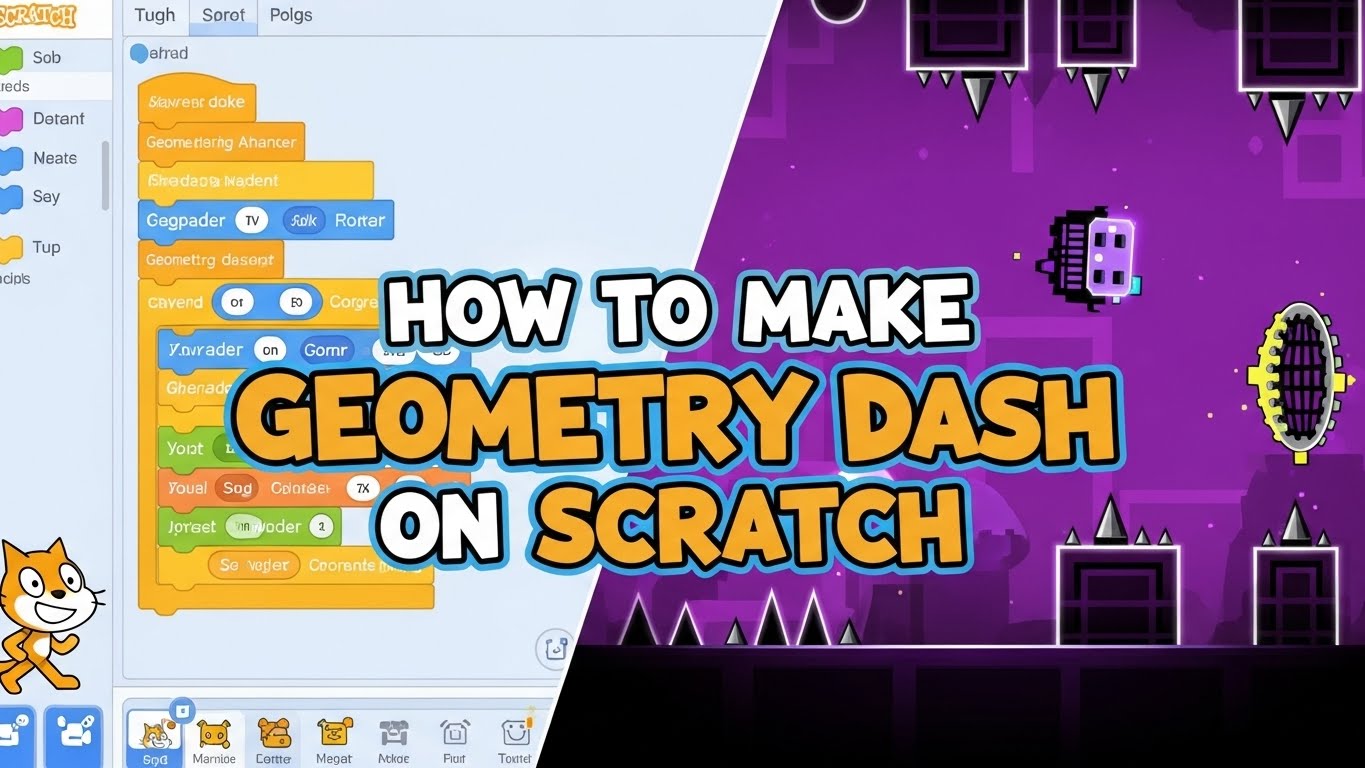






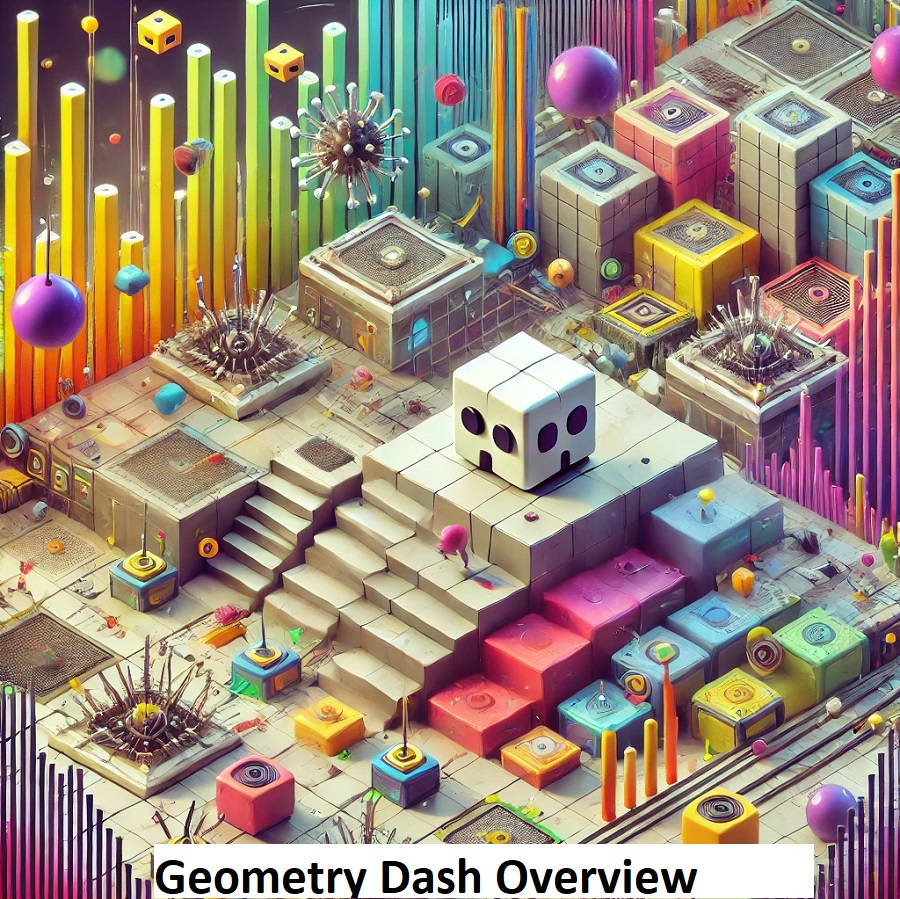
Geometry Dash is an exciting side-scrolling music platforming game that challenges your focus and reflexes. Developed by Robert Topala (known as RobTop), the game series was released on 13 August 2013 for iOS and Android, followed by Windows and macOS on 22 December 2014. In the Geometry Dash Game, players control a character through music-based levels, skillfully avoiding obstacles like spikes using precise jump timing and rhythm gameplay.
The geometric gauntlet Geometry Dash is a unique rhythm-based platformer that blends rhythm-infused adventure with fast-paced gameplay. It demands lightning-fast reflexes and unwavering focus, making every moment thrilling. Whether exploring the free version or testing your skills with Geometry Dash Lite, this guide will equip you with the knowledge to master its core mechanics, including all game modes like Ship, Ball, UFO, Wave, Robot, and Spider.
The electrifying world of Geometry Dash stands out due to its vibrant online community and extensive Community Levels. Upgrading to the complete experience through the Geometry Dash Full Version unlocks even more exciting challenges, the powerful Level Editor, and access to millions of user-created levels. Combining rhythm, precision, and a dynamic gaming environment ensures every session feels fresh and engaging.
Geometry Dash Classic: Early Access and Pre-Alpha Development Stages
The journey of Geometry Dash Classic began with an early, unfinished version that was far from its final form. This pre-alpha release marked the first phase of its development, with the game still undergoing testing and evaluation. The game was made available to a limited audience, allowing RobTop Games to gather important feedback and make necessary improvements.
At this point, the game was a prototype, offering a rough experience with limited features. Players controlled a small square, jumping through various levels filled with obstacles like spikes and tiles, all synced to music. The game, although enjoyable, was still in the early stages of development, with many features yet to be fully implemented. It was far from being feature-complete, and some bugs and missing content were noticeable.
As the game progressed, feedback from players helped developers refine the experience. With each update, the goal was to move from a limited version to a more polished product. The Level Editor was introduced, though with restrictions on the number of objects and color triggers. Despite the active development, the game remained incomplete and under development, but it was still available for limited play.
The original release of Geometry Dash Classic in 2009 by RobTop set the stage for its future success. The trailer for the game was deleted in 2010, following criticisms about similarities to The Impossible Game. However, this early feedback shaped the unique identity that Geometry Dash would eventually develop.
The game mode included in this version was simple: players navigated the cube through levels such as 7th day, infiltration, and cloud control, with the introduction of purple orbs and pads that mimicked the power of yellow ones. While the Community Levels feature was not yet active with user-generated content, this early version laid the groundwork for what would eventually become a popular rhythm-based platformer with millions of players worldwide.
Understanding Core Gameplay Mechanics
The Rhythm-Based Platformer Foundation
Geometry Dash operates on auto-scrolling levels where your character moves forward automatically at a constant speed. Players control only the jumping and flying actions, making timing and precision absolutely critical. Every obstacle, spike, and platform is synchronized with beat cues in the soundtrack, creating a unique rhythm gameplay experience.
Core gameplay elements include:
- Tap to jump controls for mobile game controls and keyboard controls on PC
- Spike avoidance as the primary survival mechanic
- Practice Mode with practice checkpoints for learning difficult sections
- Muscle memory development through repeated attempts
- Precision jumps requiring frame-perfect timing
- Input delay considerations affecting high-speed sections
Mastering the Control Systems
Mobile Game Controls:
- Tap anywhere on the screen to jump in Cube mode
- Hold to fly in Ship mode
- Tap to flip gravity in Ball mode
- Tap for instant boosts in UFO mode
- Hold for diagonal movement in Wave mode
- Tap for higher jumps in Robot mode
- Tap to teleport between surfaces in Spider mode
Keyboard Controls (PC):
- Spacebar (most common)
- Up Arrow key
- W key
- Left Mouse Click
All inputs perform identical functions, allowing players to choose their preferred control method.
All Six Game Modes Explained
Cube Mode (Default)
The standard mode where players tap to jump over obstacles and land on platforms. This mode features the most straightforward jump timing mechanics and serves as the foundation for learning rhythm gameplay patterns.
Ship Mode (Blue Portal)
Accessed through blue portals, Ship mode requires players to hold to fly upward and release to descend. This mode demands smooth, controlled inputs and tests players’ ability to navigate tight vertical corridors with precision jumps.
Ball Mode (Orange Portal)
Entered through orange portals, Ball mode makes players tap to flip gravity while continuously rolling along surfaces. Each tap switches between floor and ceiling, requiring careful rhythm training to avoid spikes on both surfaces.
UFO Mode (Cyan Portal)
Cyan portals activate UFO mode, where players tap for instant vertical boosts. Each input provides a fixed upward jump with no momentum, allowing precise vertical navigation through complex obstacle patterns.
Wave Mode (Pink Portal)
The most challenging mode for many players, Wave mode requires holding to move upward diagonally and releasing to move downward. There’s no landing on platforms—just continuous wavy motion demanding extremely smooth inputs and anticipation.
Robot Mode (Green Portal)
Green portals transform the character into Robot mode, featuring higher, heavier jumps than standard Cube mode. Hold for maximum jump height or tap for shorter hops, ideal for clearing tall obstacles with precision jumps.
Spider Mode (Purple Portal)
Purple portals activate Spider mode, where players tap to instantly teleport to the opposite surface. Unlike Ball mode, there’s no jump arc—just immediate gravity flips requiring frame-perfect jump timing.
Essential Obstacles and Gameplay Elements
Jump Pads and Jump Orbs
Jump Pads (yellow glowing pads) automatically bounce players upward upon contact—no input required. Jump Orbs (circular orbs) require active player input while touching them to activate their boost effect. Understanding this distinction is critical for successful navigation.
Jump Orb types include:
- Yellow orbs: Standard upward boost
- Pink orbs: Higher upward boost
- Blue orbs: Gravity reversal
- Green orbs: Sideways boost
Spikes and Hazards
Spike avoidance forms the primary challenge in Geometry Dash. Spikes appear on floors, ceilings, and walls in various formations:
- Single spikes requiring basic jumps
- Double and triple spikes demanding precise jump timing
- Spike tunnels with hazards on multiple surfaces
- Moving spike obstacles requiring timed approaches
Platforms and Surfaces
Solid platforms provide safe landing zones in Cube and Robot modes. Moving platforms add timing complexity, while disappearing platforms test quick decision-making and rhythm gameplay skills.
Practice Mode: The Essential Learning Tool
Practice Mode remains the most valuable feature for skill development. Activated via the wrench button before starting a level, this mode allows placement of practice checkpoints (green diamonds) throughout levels.
Strategic Practice Mode usage:
- Place checkpoints before difficult sections
- Isolate challenging obstacles for focused practice
- Build muscle memory through repetition
- Practice mode transitions between different game modes
- Achieve 80-90% consistency before attempting Normal Mode
Important note: Practice Mode progress doesn’t count toward level completion. Players must complete levels in Normal Mode to earn Stars, unlock subsequent levels, and collect rewards.
Official Levels and Progression
Main Level Sequence
Easy Difficulty:
- Stereo Madness (1 star) – The starting level teaching basic jump timing
- Back On Track (2 stars) – Introduces Ship mode mechanics
- Polargeist (3 stars) – First Normal difficulty with speed variations
Normal Difficulty:
- Dry Out (4 stars) – Combines multiple game modes
- Base After Base (5 stars) – First Hard difficulty level
- Cant Let Go (6 stars) – Advanced rhythm gameplay patterns
- Jumper (7 stars) – Complex obstacle combinations
Hard Difficulty:
- Time Machine (8 stars) – Faster gameplay speed
- Cycles (9 stars) – Introduces dual-mode sections
- xStep (10 stars) – Advanced precision jumps required
Harder Difficulty:
- Clutterfunk (11 stars) – Extremely fast sections
- Theory of Everything (12 stars) – Multiple mode transitions
- Electroman Adventures (13 stars) – Complex Wave mode sections
Insane Difficulty:
- Clubstep (14 stars) – First Demon-level challenge
- Electrodynamix (15 stars) – Demanding Ship and Wave sections
- Hexagon Force (16 stars) – Advanced Spider mode usage
- Blast Processing (17 stars) – Extreme speed challenges
- Theory of Everything 2 (18 stars) – Complex multi-mode level
- Geometrical Dominator (19 stars) – Advanced obstacle patterns
- Deadlocked (20 stars) – Intense Wave mode sections
Demon Difficulty:
- Clubstep (Easy Demon) – First demon-level challenge
- Theory of Everything 2 (Hard Demon) – Extremely difficult patterns
- Deadlocked (Insane Demon) – Master-level gameplay required
Each level includes three secret Coins hidden off the main path, requiring exploration and often more difficult routes to collect.
The Level Editor and Community Levels
Level Editor Features
The Level Editor in the Geometry Dash Full Version provides comprehensive creation tools:
Basic features:
- Object placement (spikes, platforms, decorations)
- Portal placement for mode transitions
- Jump Pad and Jump Orb positioning
- Colour and background customisation
- Music selection from available tracks
Advanced features:
- Trigger systems for complex events
- Moving object mechanics
- Pulse and alpha triggers
- Custom colour schemes
- Spawn triggers and toggle mechanics
Community Levels Access
The Community Levels database contains millions of user-created levels across all difficulty ratings:
Browsing options:
- Filter by difficulty (Easy to Demon)
- Search by creator name
- Featured level selections by RobTop
- Most liked and most downloaded
- Daily Level challenges
- Weekly Demon rotations
Popular Community Levels:
- Bloodbath (Extreme Demon)
- Sonic Wave (Extreme Demon)
- Cataclysm (Extreme Demon)
- Tartarus (Extreme Demon)
- The Golden (Insane Demon)
- Acu (Easy Demon)
- The Nightmare (Easy Demon)
- Decode (Easy Demon)
Map Packs and Gauntlets
Map Packs are curated collections of Community Levels grouped by theme or difficulty. Completing Map Packs rewards players with Stars for unlocking customisation items.
Gauntlets include:
- Fire Gauntlet
- Ice Gauntlet
- Poison Gauntlet
- Shadow Gauntlet
- Lava Gauntlet
- Chaos Gauntlet
- Demon Gauntlet
- Time Gauntlet
- Crystal Gauntlet
- Magic Gauntlet
Each Gauntlet contains five levels testing specific skills and mechanics.
Customisation and Unlockables
Stars and Progression System
Stars serve as the primary progression currency, earned by completing official levels and Community Levels. Stars unlock:
- New character designs for all modes
- Colour schemes for customisation
- Special effects and trails
- Access to secret shops
- Additional Map Packs and content
Secret Coins Collection
Secret Coins (three per official level, 63 total) unlock special customisation options:
- Rare character designs
- Exclusive colour schemes
- Secret shop access
- Achievement-related content
Coins require exploring alternative paths and often completing more difficult routes through levels.
User Coins in Community Levels
User Coins in Community Levels work similarly to official secret Coins, placed by level creators to reward exploration and skill. Collecting User Coins contributes to overall progression statistics.
Customisation Categories
Character designs available for:
- Cube mode (default)
- Ship mode designs
- Ball mode designs
- UFO mode designs
- Wave mode designs
- Robot mode designs
- Spider mode designs
Additional customisation:
- Primary and secondary colours
- Trails following the character
- Death effect animations
- Glow effects
The Vault and Secret Rewards
The Vault (accessible from the main menu) accepts secret codes shared by the community:
- Lenny (unlocks specific content)
- Blockbite (grants rewards)
- Spooky (seasonal content)
- Neverending (special unlock)
- Various other community-discovered codes
The Vault also contains the Shopkeeper who sells rare customisation items.
Advanced Techniques and Skill Development
Rhythm Training Methods
Developing strong rhythm training skills accelerates progress:
Training techniques:
- Play with headphones to hear beat cues clearly
- Tap along with music before attempting levels
- Count beats verbally during practice
- Focus on audio cues rather than visual only
- Identify musical patterns indicating obstacle placement
Building Muscle Memory
Muscle memory development requires:
- Consistent practice sessions (20-30 minutes recommended)
- Repetition of the same sections 20-50 times
- Breaks between sessions for consolidation
- Regular return to practiced sections for maintenance
- Progressive difficulty increases
Precision Jump Techniques
Precision jumps separate skilled players from beginners:
Techniques include:
- Early jumping to compensate for input delay
- Late jumping for specific gap clearances
- Buffer jumping (pressing just before landing)
- Hold duration control for jump height variation
- Visual and audio timing combination
Pattern Recognition Development
Recognising obstacle patterns speeds up learning:
Pattern types:
- Triple spike formations
- Staircase ascending/descending
- Wave mode corridor shapes
- Gravity flip sequences
- Ship mode tunnel navigation
Memorising common patterns allows automatic execution through muscle memory rather than conscious reaction.
Technical Optimisation
Reducing Input Delay
Minimising input delay improves responsiveness:
Optimisation methods:
- Close background applications
- Enable “Do Not Disturb” mode on mobile
- Disable V-Sync on PC versions
- Use gaming mode on Android devices
- Keep devices cool to prevent thermal throttling
- Ensure stable frame rates (60 FPS preferred)
Graphics Settings
Performance optimisation:
- Low Detail Mode for complex Community Levels
- Smooth Fix toggle (test both settings)
- Reduced particle effects if experiencing lag
- Background simplification options
Audio Settings
Sound optimisation:
- Use quality headphones for beat cues
- Adjust music volume for clear rhythm hearing
- Balance sound effects with music
- Ensure no audio lag or desynchronisation
Geometry Dash Versions Comparison
Geometry Dash Lite (Free)
Content included:
- 13 official levels (Easy to Hard difficulty)
- Limited game modes (Cube, Ship, Ball)
- Practice Mode with practice checkpoints
- Basic customisation options
- No Level Editor
- No Community Levels access
- Advertisement-supported
Geometry Dash Full Version (Paid)
Complete content:
- All 21+ official levels (Easy to Demon)
- All six game modes (Cube, Ship, Ball, UFO, Wave, Robot, Spider)
- Practice Mode with practice checkpoints
- Complete Level Editor
- Millions of Community Levels
- All customisation options
- Map Packs and Gauntlets
- Ad-free experience
- Online features (leaderboards, cloud saves)
- Price: £2.99-£3.99
Geometry Dash Meltdown (Free Spin-off)
Alternative free version featuring:
- Three exclusive levels
- Different soundtrack selections
- Standalone gameplay
- Practice Mode included
- Limited customisation
Geometry Dash World (Free Spin-off)
Another free alternative offering:
- Ten exclusive levels
- Unique level themes
- Practice Mode available
- Limited content compared to main game
Geometry Dash SubZero (Free Spin-off)
Latest free spin-off including:
- Three challenging levels
- Modern obstacle mechanics
- Practice Mode functionality
- Introduction to newer gameplay elements
Online Features and Community
Leaderboards and Competition
The Geometry Dash Full Version includes global leaderboards:
- Official level rankings
- Community Levels ratings
- Creator points system
- Friends comparison
- Regional rankings
Level Sharing and Rating
Players can:
- Upload created levels to servers
- Rate levels (like/dislike system)
- Comment on Community Levels
- Report inappropriate content
- Follow favourite creators
Cloud Save Synchronisation
Cloud saves allow:
- Progress synchronisation across devices
- Backup of unlocked customisation
- Stars and Coins preservation
- Level completion records
- Cross-platform progress (mobile to PC)
Social Features
Community engagement includes:
- Friends system
- Level collaboration
- Challenge sharing
- Community events
- Creator recognition systems
Common Challenges and Solutions
Difficulty Progression Issues
Challenge: Hitting difficulty walls on specific levels
Solutions:
- Use Practice Mode extensively
- Watch completion videos for routing
- Practice shorter sections in isolation
- Take breaks to prevent frustration
- Try alternative Community Levels at similar difficulty
Input Timing Problems
Challenge: Consistent mistiming on precision jumps
Solutions:
- Check device input delay
- Practice with audio cues from beat cues
- Use Practice Mode for timing sections
- Account for anticipatory pressing needs
- Verify stable frame rate performance
Mode Transition Difficulties
Challenge: Failing at portal transitions between modes
Solutions:
- Anticipate upcoming portals visually
- Practice each mode individually
- Learn physics differences between modes
- Use Practice Mode checkpoints before transitions
- Build muscle memory for mode-specific controls
Wave Mode Struggles
Challenge: Wave mode sections causing frequent deaths
Solutions:
- Practice smooth, gradual inputs
- Avoid overreacting to obstacles
- Focus on overall path rather than individual movements
- Use Practice Mode extensively for Wave sections
- Build muscle memory for common Wave patterns
Performance and Statistics Tracking
Statistics Available
The game tracks:
- Total attempts per level
- Total deaths recorded
- Completion percentages
- Stars collected
- Secret Coins found
- User Coins collected
- Community Levels completed
- Creator points earned
Achievement System
Achievements reward:
- Specific jump counts
- Level completions
- Coins collection milestones
- Customisation unlocks
- Secret challenges
- Community participation
Mobile vs PC Experience
Mobile Advantages
Mobile game controls offer:
- Play anywhere capability
- Intuitive touch controls
- Original intended platform
- Larger mobile community
- Regular mobile-specific updates
PC Advantages
Keyboard controls provide:
- Potentially lower input delay
- Larger screen visibility
- More precise inputs (keyboard)
- Steam Workshop integration
- Easier level creation with mouse
Cross-Platform Considerations
Players can:
- Transfer progress via cloud saves
- Access same Community Levels
- Share created levels cross-platform
- Compete on unified leaderboards
- Purchase once for all platforms (within ecosystem)
Recent Updates and Future Development
Update 2.2 Features
Recent major update included:
- New game modes and mechanics
- Expanded Level Editor capabilities
- Additional trigger systems
- New official levels
- Enhanced customisation options
- Performance improvements
Platformer Mode
Introduction of platformer-style levels:
- Free movement (not auto-scrolling)
- Exploration-based gameplay
- New mechanics and interactions
- Alternative to traditional levels
Ongoing Development
RobTop Games continues:
- Bug fixes and optimisation
- Community feedback implementation
- New content additions
- Level Editor enhancements
- Platform expansion
Frequently Asked Questions
How long does it take to complete all official levels? Completion time varies significantly by skill level. Beginners may require 50-100+ hours, while experienced players might complete all levels in 20-30 hours. Demon levels significantly increase total completion time.
Can I play offline? Yes, installed levels play offline. However, browsing and downloading Community Levels, accessing leaderboards, and syncing cloud saves require internet connection.
Are updates free? Yes, all game updates are free for Geometry Dash Full Version owners. New official levels, features, and improvements are included at no additional cost.
How many Community Levels exist? Millions of Community Levels are available, with new levels uploaded daily. The exact number constantly increases as creators continue developing content.
What’s the hardest official level? Deadlocked is the final official level and considered the hardest, rated as an Insane Demon. However, many Community Levels significantly exceed its difficulty.
Can I create levels on mobile? Yes, the Level Editor functions on mobile devices, though some creators prefer PC for easier object placement using a mouse.
Do I need musical ability? No musical training is required. The game develops rhythm gameplay skills through practice. Listening to beat cues and practicing timing are sufficient.
How do secret Coins affect progression? Secret Coins unlock exclusive customisation options and contribute to completion statistics. They’re optional but reward exploration and skilled play.
Conclusion
Geometry Dash remains a premier rhythm-based platformer combining music synchronisation, precision jumps, and challenging auto-scrolling levels. From the limited Geometry Dash Lite experience to the comprehensive Geometry Dash Full Version with its Level Editor and millions of Community Levels, the game offers content for all skill levels.
Mastering the six game modes (Cube, Ship, Ball, UFO, Wave, Robot, Spider), understanding obstacle mechanics (Jump Pads, Jump Orbs, spike avoidance), and utilising Practice Mode with practice checkpoints form the foundation of skill development. Building muscle memory through repetition and learning to respond to beat cues in the soundtrack accelerate progression.
Whether pursuing completion of all official levels, collecting every secret Coin, creating levels in the Level Editor, or conquering Extreme Demon Community Levels, Geometry Dash provides virtually unlimited content and challenges. The active community, regular updates from RobTop Games, and extensive customisation options ensure continued engagement.
The combination of mobile game controls accessibility and keyboard controls precision allows players to choose their preferred platform while maintaining progress through cloud saves. From casual players enjoying Geometry Dash Lite to dedicated completionists mastering Demon difficulties, the game accommodates all approaches.
Success in Geometry Dash requires patience, practice, and persistence. Every death provides learning opportunities, and every completion delivers satisfaction. The rhythm gameplay foundation, combined with increasingly complex precision jumps and pattern recognition, creates a uniquely challenging experience that has captivated millions of players since its 2013 release.
READ MORE