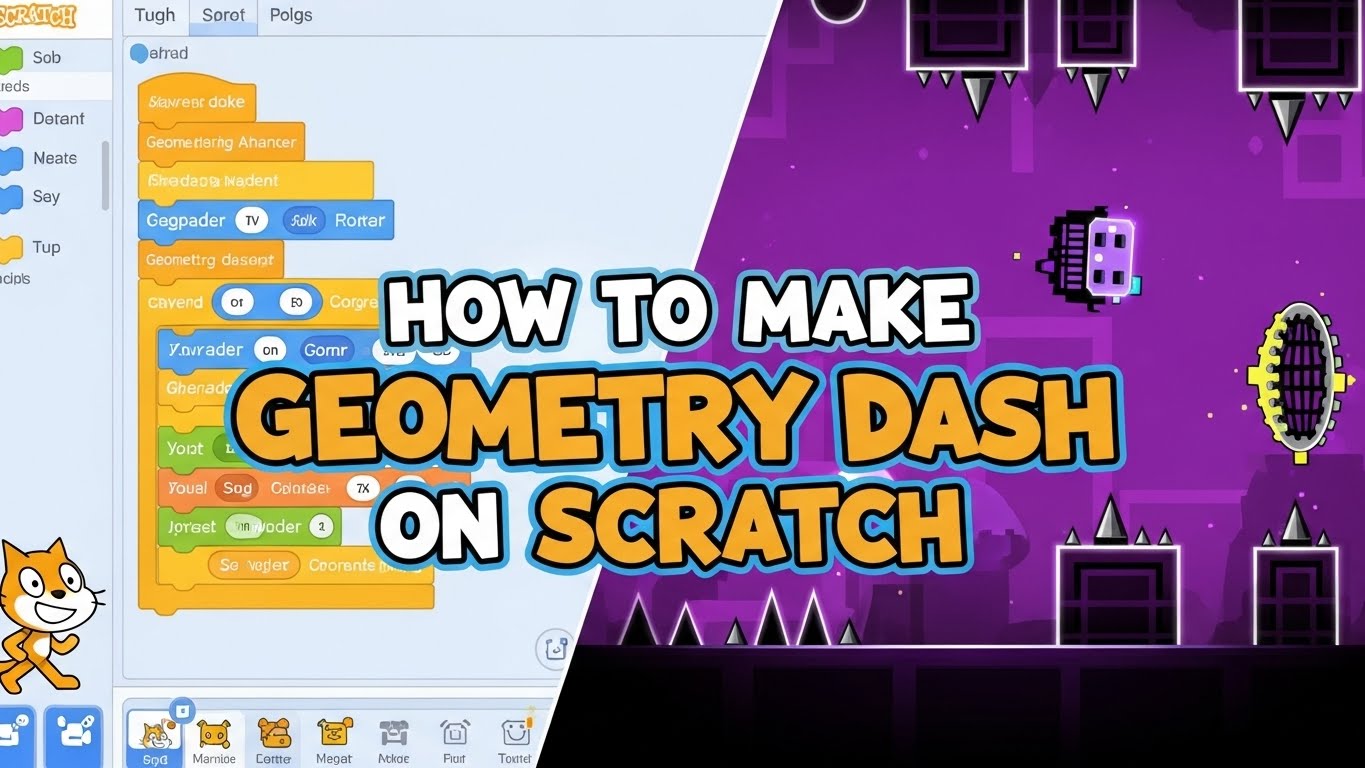






So, you’ve just downloaded Geometry Dash and can’t get past the first level? You’re not alone. Stereo Madness might look simple with its colorful blocks and catchy music, but this rhythm platformer has a learning curve that catches many beginners off guard.
The good news? Once you understand the mechanics and timing, you’ll breeze through this 1-star level and unlock your first achievement. In this guide, I’ll walk you through everything you need to know—from basic controls to advanced strategies—so you can see that satisfying “Level Complete” screen.
Let’s jump in!
What Is Stereo Madness in Geometry Dash?
Stereo Madness is the very first official level in Geometry Dash, created by Robert Topala (known as RobTop in the gaming community). As the opening stage of this rhythm-based platformer, it introduces you to the core gameplay mechanics you’ll use throughout the entire game.
This level sits in the Easy difficulty category with a 1-star rating, making it the perfect starting point for new players. The level features a vibrant blue and purple color scheme that’s become iconic in the Geometry Dash community, paired with an energetic electronic soundtrack by ForeverBound that syncs perfectly with the obstacles.
Key features of Stereo Madness:
- Length: Approximately 1 minute and 20 seconds
- Speed: 1x (normal speed throughout)
- Game modes: Cube and Ship
- Secret coins: 3 hidden collectibles
- Total attempts by average players: 50-150 tries
The level design focuses on teaching fundamental skills like jump timing, hitbox awareness, and rhythm synchronization. Unlike user-created levels that can throw random difficulty spikes at you, Stereo Madness follows a carefully structured difficulty curve designed by RobTop Games.
When you complete this level in Normal Mode, you’ll earn 1 star, mana orbs (the game’s currency), and unlock the ability to play the next level, Back on Track. You’ll also unlock new icons and colors for your character customization.
The level exists across all platforms—whether you’re playing the mobile version on iOS or Android, the Steam version on PC, or the browser-based version. The experience remains consistent, though control methods differ slightly.
Why Stereo Madness Is a Beginner-Friendly Level
Stereo Madness earned its “Easy” rating for good reasons. RobTop designed this level specifically as a tutorial that doesn’t feel like a tutorial—you’re learning by doing rather than reading instructions.
What makes it beginner-friendly:
The 1x speed gives you plenty of reaction time. Unlike harder levels that use 2x, 3x, or even 4x speed portals, Stereo Madness maintains a comfortable pace throughout. This extra time lets you process what’s coming and plan your moves accordingly.
The obstacle placement follows predictable patterns. Most spikes appear in straightforward positions that align with the music beats. There are no fake obstacles (except in the secret coin areas), no invisible portals, and no moving objects that track your position.
The level teaches one concept at a time. The first section focuses purely on cube jumping. Then it introduces ship flying in a wide, forgiving tunnel. By the time you reach the trickier sections, you’ve already built muscle memory for the basics.
Gravity mechanics remain normal throughout—there are no upside-down sections or gravity portals that flip your controls. This consistency helps beginners focus on timing rather than spatial reorientation.
The checkpoint system in Practice Mode lets you isolate difficult sections. If you’re stuck at the 85% mark, you don’t need to replay the entire level repeatedly. Drop a checkpoint and practice just that problem area until you’ve mastered it.
Compared to later levels like Clubstep (the first demon level) or even moderate levels like Time Machine, Stereo Madness offers breathing room. You won’t face tight corridors, frame-perfect timing requirements, or memory-based sections where you must know what’s coming before you see it.
The forgiving hitboxes help too. Your cube’s collision detection is slightly smaller than the visible icon, giving you a small margin for error that helps offset beginner timing mistakes.
What Controls Are Used in Stereo Madness?
Geometry Dash uses simple one-touch controls that work the same way across all platforms, though the input method varies by device.
Mobile controls (iOS and Android):
- Tap anywhere on the touchscreen to make your cube jump
- Hold your finger on the screen to make the ship fly upward
- Release to let the ship fall
- Multiple fingers work—you can tap with any finger
The touch controls offer zero input lag on most modern devices, making mobile a popular choice for competitive players. Screen protectors can add minimal delay, but it’s usually negligible.
PC controls (Steam and browser versions):
- Press the Spacebar to jump
- Press the Up Arrow key to jump
- Left-click with your mouse to jump
- Hold any of these inputs during ship sections to fly up
Many PC players prefer the spacebar because of the tactile feedback and consistent response. The mouse click works well too, though some players find it less comfortable for extended play sessions.
Understanding the difference between Cube and Ship:
The Cube mode uses discrete jumps. Each tap or click makes your cube jump once with a fixed trajectory. You can’t control the jump height or direction mid-air—once you’ve jumped, gravity takes over.
The Ship mode offers continuous control. Holding the input makes the ship fly upward continuously, while releasing lets gravity pull it down. The ship doesn’t “jump”—it flies with smooth acceleration in whichever direction you’re controlling.
Pro tip: You can change your controls in the settings menu if the defaults don’t feel comfortable. Some players remap keys to Z or X, while others prefer mouse-only controls. Find what works for your hands and stick with it—consistency builds better muscle memory than switching controls frequently.
The game registers inputs very quickly, so there’s no need to tap early to compensate for lag like in some mobile games. When you tap, your icon responds within the same frame on most devices running at 60 FPS or higher.
What Obstacles Appear in Stereo Madness?
Understanding what can kill you is the first step to avoiding death. Stereo Madness introduces the basic obstacle types you’ll encounter throughout the game.
Spikes (triangular hazards): These are your primary enemy. Spikes come in several configurations—single spikes on blocks, ground spikes, ceiling spikes, and the infamous triple spike formation. Touching any part of a spike’s hitbox instantly kills you and restarts the level.
The hitbox on spikes extends slightly beyond what you see visually, especially at the pointed tips. Many beginners die because they’re cutting it too close, thinking they’ve cleared the spike when they’ve actually grazed the hitbox.
Solid blocks (platforms): These square and rectangular blocks are safe landing zones. Your cube can walk on top of them, and your ship can’t pass through them. They form the basic structure of the level’s terrain.
Some blocks have decorative elements like borders or patterns, but if it’s solid-looking, it’s solid. The only exception is in secret coin areas where some walls are fake decorations.
Slabs (half-height blocks): These shorter platforms require slightly adjusted jump timing. You can’t simply hold a rhythm—you need to adapt when jumping from ground level to a slab versus from a slab to a full block.
Ship tunnels (ceiling and floor barriers): During ship sections, you’re flying through enclosed spaces. The top and bottom boundaries are solid—crashing into either kills you instantly. These sections test your hold-and-release rhythm control.
Triple spikes (the hardest obstacle): Located near the 90-95% mark, this formation has three spikes in close succession with minimal landing space between them. This requires precise timing—jump too early and you hit the middle spike; jump too late and you don’t clear the final spike.
Decorative objects: Not everything kills you. Background elements, pulsing shapes, and certain visual effects are purely aesthetic. Learning to distinguish between hazards and decoration helps reduce visual overwhelm.
Secret coin areas: The three secret coins hide behind fake walls or in hidden passages. These areas contain obstacles that aren’t in the normal path, so you can ignore them until you’re comfortable beating the level normally.
Understanding obstacle patterns helps you anticipate what’s coming. Most sections repeat similar formations—if you’ve seen one double-spike jump, you’ve seen them all. Pattern recognition makes subsequent attempts easier than the first.
How Timing and Jump Accuracy Work in Stereo Madness
Geometry Dash is fundamentally a rhythm game disguised as a platformer. The entire level syncs with the ForeverBound soundtrack, and understanding this relationship is crucial for success.
Musical synchronization: Every major obstacle in Stereo Madness aligns with a beat in the music. The spikes don’t appear randomly—they’re placed on specific musical beats. When you jump with the rhythm, your timing naturally improves without conscious counting.
Listen for the bass drum kicks and high-hat patterns. Most jumps correspond with these percussion elements. The music telegraphs what’s coming—a musical build-up often signals an upcoming difficulty increase.
Jump timing precision: Your cube has a fixed jump arc that you can’t change mid-air. The moment you tap determines everything—tap too early and you’ll land on a spike; tap too late and you won’t clear the obstacle.
The optimal jump timing is right as you’re about to reach an obstacle, not when you first see it. Beginners often jump too early out of panic. Trust that you have time—at 1x speed, reaction time is rarely the issue.
Hitbox mechanics: Your character’s hitbox (the collision detection area) is slightly smaller than the visible icon. This invisible box is what actually determines whether you’ve hit an obstacle. You can sometimes appear to touch a spike visually but survive because the hitbox didn’t intersect.
This small margin of error is intentional—it makes the game feel fair rather than frustratingly precise. However, you shouldn’t rely on this margin. Aim for clean jumps with visible clearance.
Buffer jumping technique: If you hold the jump input before landing, your cube will jump the instant it touches the ground. This “buffered jump” is useful for consecutive platforms where you need immediate jumps without reaction time delay.
However, buffer jumping can cause problems if you’re not ready. Holding the input during awkward timings can make you jump when you didn’t intend to. Use it deliberately, not accidentally.
Ship flying physics: The ship has acceleration and momentum. When you hold to fly up, the ship doesn’t instantly move upward—it accelerates. Similarly, releasing doesn’t make it drop immediately—gravity gradually pulls it down.
This “weight” to the ship requires smooth, controlled inputs. Rapid tapping creates a bumpy flight path, while steady pressure gives you smooth, predictable movement. The ship responds to tap duration—longer holds create steeper climbs.
Frame-perfect timing myth: Despite what you might hear, Stereo Madness doesn’t require frame-perfect inputs. At 60 FPS, you have multiple frames of leniency on every jump. The “frame-perfect” concept applies to extreme demon levels, not beginner stages.
Focus on rhythm and consistency rather than worrying about millisecond precision. If you’re dying repeatedly at the same spot, it’s a technique issue, not a reflexes issue.
What Mistakes Do Players Commonly Make in Stereo Madness?
Even though Stereo Madness is rated Easy, certain mistakes trip up beginners consistently. Recognizing these errors helps you avoid them.
Over-clicking (spamming inputs): When panic sets in, players start tapping frantically hoping something works. This randomizes your timing and guarantees failure. The level requires deliberate, rhythmic inputs—not desperate mashing.
If you find yourself spam-clicking, consciously slow down. Count beats out loud: “one, two, three, jump.” This forces intentional timing rather than reflexive panic.
Holding the ship input too long: New players treat the ship like the cube—they hold continuously thinking it’s safer. This makes the ship crash into the ceiling within seconds. Ship sections require rhythmic tapping and releasing, not sustained pressure.
Practice short bursts: tap-release-tap-release. Think of it like bouncing a ball rather than holding a button. The ship naturally falls when you’re not pressing, so use gravity as much as your inputs.
Focusing eyes on the character instead of ahead: Your eyes should look 2-3 obstacles in front of your current position. Staring at your cube makes you reactive instead of proactive—you’re responding to obstacles you’re already at rather than preparing for what’s coming.
Use your peripheral vision to track your character. Your brain processes peripheral motion automatically, freeing your central vision to read ahead and plan movements.
Ignoring the audio cues: Some players mute the game or play with low volume, thinking they can rely purely on visual timing. While possible, this makes the game significantly harder. The music provides subconscious timing signals that guide your inputs naturally.
Stereo Madness is designed around its soundtrack. Playing without audio is like playing a rhythm game with the music off—technically possible but missing the fundamental mechanic that makes timing easier.
Playing with poor device performance: If your device struggles to maintain consistent frame rates (dropping below 60 FPS), timing becomes unpredictable. The game runs at different speeds depending on frame rate, and stuttering makes precise jumps nearly impossible.
Check your settings: enable “Smooth Fix” on mobile, close background apps, and lower graphical details if needed. Consistent performance matters more than visual quality for timing-based games.
Not using Practice Mode properly: Many players either avoid Practice Mode entirely or become too dependent on it. Practice Mode is a tool for learning specific sections, not a replacement for normal mode attempts.
Use Practice Mode to master problem areas, then validate your learning with normal mode runs. If you can clear a section 10 times in practice mode, you should be able to handle it in a normal run.
Giving up too quickly: Stereo Madness typically takes 50-150 attempts for new players. Some quit after 20 deaths, thinking the game is too hard. This level is testing your persistence as much as your timing—stick with it.
Each death teaches you something. Track your best percentage—if you’re consistently reaching higher percentages, you’re improving even if you haven’t beaten it yet.
How Practice Mode Helps in Stereo Madness
Practice Mode is your secret weapon for learning without the frustration of constant full restarts. Here’s how to use it effectively.
Accessing Practice Mode: Tap the wrench icon in the level menu before starting. The level looks identical in practice mode except for green checkpoints you can place and a different end-screen when you die.
Checkpoint system: During practice mode, tap the checkpoint icon (usually on the right side of the screen) to drop a green marker at your current position. When you die, you respawn at your most recent checkpoint instead of starting from 0%.
You can place unlimited checkpoints throughout the level. Most players place them every 10-15% or right before difficult sections like the ship tunnels and triple spike area.
Strategic checkpoint placement: Don’t just spam checkpoints everywhere—place them strategically. Put checkpoints 3-5 obstacles before problem sections, not right at them. This gives you momentum and proper positioning when practicing.
For example, if you keep dying at the 85% ship section, place your checkpoint at 75%. This lets you practice the approach and the difficult part together, which is closer to how you’ll experience it in normal mode.
Building muscle memory: Practice Mode lets you repeat sections dozens of times until the movements become automatic. This repetition builds muscle memory—your fingers learn the timing pattern without conscious thought.
Aim to clear each difficult section 10-15 times consistently before moving on. One successful attempt is luck; ten successful attempts is skill.
The Practice Mode limitation: You cannot earn stars, unlock achievements, or collect mana orbs in Practice Mode. You must complete the level in Normal Mode to get credit. Practice Mode also displays your death counter, which can be discouraging—some players prefer to ignore this number.
Practice Mode also slightly changes the experience because you’re starting sections with different momentum and positioning than you’d have in a normal run. This is why you must validate your practice with normal attempts.
Practice coins vs. secret coins: In Practice Mode, you can collect practice coins (they look different from normal coins). These don’t count toward your actual coin collection—they’re just markers for practice runs. The three real secret coins must be collected in Normal Mode.
When to transition from Practice to Normal: Once you’ve practiced the entire level and can clear each section reliably, attempt full Normal Mode runs. You might still die 10-20 more times linking everything together, but you’ll progress much faster than randomly grinding without practice.
Many successful players follow this pattern: Practice Mode until comfortable → 5-10 Normal attempts → Practice Mode for problem areas → Repeat until completion.
What Game Settings Improve Stereo Madness Gameplay?
Optimizing your settings can mean the difference between frustrating lag and smooth, responsive gameplay.
Frame rate settings (FPS): Geometry Dash runs at different frame rates depending on your device. Higher FPS means smoother visuals and more responsive controls. If your device supports it, aim for 60 FPS minimum, though 120 FPS or 144 FPS offers even better precision.
Navigate to settings and check your FPS options. Some devices automatically cap FPS to save battery—disable this when playing seriously.
Smooth Fix option: This setting helps stabilize frame rates on devices that experience occasional stuttering. If you notice your game occasionally freezes or lags, enable Smooth Fix. The downside is slightly increased input lag on some devices, so test whether it helps or hurts your performance.
Low Detail Mode: On older mobile devices or lower-end PCs, enable Low Detail Mode. This reduces background particle effects and decorative elements, improving performance without affecting gameplay. You’ll still see all obstacles—just with simpler graphics.
V-Sync (Vertical Sync): On PC, V-Sync synchronizes the game’s frame rate with your monitor’s refresh rate, eliminating screen tearing. However, it can add input lag. Many competitive players disable V-Sync for more responsive controls, accepting minor visual tearing as a trade-off.
Audio latency adjustment: Some devices have audio delay where the music plays slightly behind or ahead of the visuals. This throws off rhythm-based timing. If you notice audio feels “off,” check if your device has audio latency settings.
On iOS, enable “Reduce Latency” in settings. On Android, some music player apps add processing delay—close them before playing. On PC, check your audio driver settings for any buffer or enhancement options that might add lag.
Fullscreen vs. Windowed mode (PC): Fullscreen mode typically offers better performance and lower input lag on PC. Windowed or borderless windowed modes are convenient but can add slight delay. For serious attempts, use fullscreen.
Background apps and notifications: Close unnecessary apps before playing, especially on mobile. Background processes consume RAM and CPU cycles, causing frame drops during gameplay. Enable “Do Not Disturb” mode to prevent notifications from interrupting mid-level.
Control sensitivity (mobile): Some Android devices have adjustable touch sensitivity settings. If your screen feels unresponsive, increase touch sensitivity. Conversely, if accidental touches are triggering unwanted jumps, reduce sensitivity.
Screen brightness: Adequate brightness helps you see obstacles clearly, especially the darker obstacles against dark backgrounds. However, extremely bright screens in dark rooms can cause eye strain during extended sessions. Find a comfortable middle ground.
Testing your settings: After changing settings, test with a level you know well. If timing feels different or worse, revert changes. The goal is finding settings where the game feels responsive and your inputs register exactly when you intend them.
How to Complete Stereo Madness Step by Step
Let’s break down the entire level into manageable sections with specific strategies for each part.
Section 1: 0% – 30% (The Tutorial Section)
This opening segment introduces basic cube jumping. You’ll face single spikes, ground spikes, and simple platform sequences.
Strategy: Focus on establishing rhythm. Jump timing aligns with the music beats. Don’t rush—at 1x speed, you have plenty of time to see obstacles coming. Practice jumping from ground level to blocks and back to ground level.
The hardest part here is usually around 15-20% where you encounter the first slab platforms. These half-height blocks require slightly different timing—jump a fraction later than you would for full blocks.
Common death spot: The staircase around 25% catches players who jump too early on each step. Wait for your cube to fully land on each platform before jumping to the next.
Section 2: 30% – 48% (First Ship Tunnel)
You hit a blue portal and transform into the ship. This wide tunnel has plenty of vertical space, making it forgiving for beginners.
Strategy: Stay roughly in the middle of the screen. Use short taps to make minor adjustments rather than holding continuously. The tunnel width means small mistakes don’t instantly kill you.
Watch for the ceiling spikes around 35% and the narrow passage around 40%. These require slightly tighter control but remain manageable with steady tapping.
Common death spot: Players often crash into the ceiling at the tunnel entrance (31-32%) by holding too long on their first ship input. Tap gently to enter the tunnel—you don’t need aggressive upward movement.
Section 3: 48% – 75% (The Cube Climb)
Back to cube mode, this section features more complex platform arrangements including stairs, slabs, and double-spike formations.
Strategy: Re-establish your jumping rhythm. The music becomes more intense here, with the beat guiding your jumps more clearly. Most jumps follow a steady two-beat pattern.
Around 60%, you’ll encounter taller platform stacks. These require full-height jumps rather than the shorter hops you used earlier. Commit to the jump fully—hesitant inputs often result in falling short.
The 65-70% section has consecutive spikes with minimal landing space. Jump as soon as you land on each platform between spikes—rhythm is everything here.
Common death spot: The platform sequence at 72-73% has an awkward rhythm break. Many players maintain their previous jumping cadence and jump too early or too late. Watch carefully and adjust timing for this specific section.
Section 4: 75% – 90% (Second Ship Tunnel – The Challenging One)
You enter another ship portal, but this tunnel is significantly narrower with more obstacles.
Strategy: Precise control is essential. The tunnel has jagged ceiling and floor spikes that severely punish overcompensation. Use very short, controlled taps. Think “gentle pulse” rather than “hard press.”
At 80%, the tunnel narrows even further. This is where most players die repeatedly. The key is staying calm and maintaining tiny, frequent adjustments. Don’t overcorrect when you drift slightly up or down.
The 85% area contains the path to the third secret coin (flying up through a fake ceiling), but ignore this for now if you’re focused on completion.
Common death spot: The narrow passage at 82-83% has barely enough space for the ship. Players either panic and crash immediately, or overcorrect and hit the opposite wall. Practice this section repeatedly in Practice Mode—it’s the hardest part of Stereo Madness.
Section 5: 90% – 100% (The Finale)
You exit the ship and return to cube mode for the final challenge—the infamous triple spikes.
Strategy: This is the most precise timing in the level. You face three spikes in quick succession with very small landing zones between them.
The first jump is standard timing. Land on the tiny platform between spike one and two. Immediately jump again—don’t hesitate. Land on the even smaller platform between spike two and three. Final jump to clear the third spike.
The key is committing to the rhythm without second-guessing. Most failures come from hesitating on the second or third jump out of fear. Trust your timing and execute smoothly.
After the triple spikes, you have a few more easy jumps before the finish line at 100%.
Common death spot: The second jump in the triple spike sequence (around 93%) is the most failed jump in the level. Players either jump too early (hitting spike two) or too late (not clearing spike three). The timing is: land-jump-land-jump-land-jump with minimal delay between actions.
Pro tip for the triple spikes: Count the rhythm out loud: “ONE-two-THREE-four-FIVE-six-SEVEN.” Jump on the emphasized beats. This verbal counting helps override panic and maintains consistent timing.
What to Keep in Mind While Playing Stereo Madness
Beyond specific strategies, these general principles will improve your overall performance and experience.
Embrace the death counter: You will die dozens of times. The death counter on your profile will climb, and that’s completely normal. Professional players died thousands of times learning the game. Every death is data—you learned one way that doesn’t work.
Average players complete Stereo Madness in 50-150 attempts. If you’re within this range, you’re perfectly normal. If it takes you 200+ attempts, you’re still fine—everyone learns at different speeds.
Progress measurement matters: Track your best percentage reached. If your best run is 45%, focus on consistently reaching 50%. Small percentage improvements indicate skill development even if you haven’t beaten the level yet.
Celebrate milestones: “I made it past the first ship!” or “I survived the triple spikes for the first time!” These victories build confidence and maintain motivation during frustrating sessions.
Take breaks when tilted: If you’re dying at spots you normally clear, you’re playing “tilted” (emotional/frustrated). This mental state destroys timing precision. Take a 10-15 minute break, get water, walk around, then return with fresh focus.
Forcing practice when frustrated reinforces bad timing habits and kills motivation. Sometimes the best practice is rest.
Save secret coins for later: Stereo Madness has three secret coins hidden throughout the level. Don’t worry about collecting them on your first completion. Beat the level once normally, then come back for coins when you’re comfortable with the layout.
Coin hunting during learning runs adds unnecessary pressure and increases your death count. Focus on one goal at a time: completion first, coins second.
Sound is non-negotiable: Wear headphones or earbuds for the best experience. The audio quality on phone speakers or laptop speakers often lacks the bass and clarity that provide timing cues. Good audio makes timing dramatically easier.
The ForeverBound soundtrack isn’t just background music—it’s part of the game’s design. The level was built around this specific track.
Learn from others (but don’t compare): Watch YouTube videos of Stereo Madness completions. Seeing smooth gameplay helps you understand the intended rhythm and approach. However, don’t compare yourself to players who complete it in 5 attempts—they likely have prior rhythm game experience or have played Geometry Dash before on different accounts.
Platform differences: Mobile players have direct touch input (potentially lower lag), but smaller screens make precise tapping harder. PC players have larger screens and tactile keyboard feedback, but must use indirect controls (keyboard/mouse vs. direct touch).
Neither platform is objectively better—it’s about what feels comfortable for you. Many top players use mobile, while many others prefer PC. Use whatever device you’ll practice on consistently.
The psychological barrier: The closer you get to 100%, the more nervous you’ll feel. This performance anxiety causes mistakes you wouldn’t normally make. Combat this by remembering: you’ve proven you can reach 90%+, so you already have the skill to beat it. Finishing is just executing what you’ve already demonstrated you can do.
Post-completion confidence: Once you beat Stereo Madness, you’ll feel a huge confidence boost. The second completion will be significantly easier—maybe 20-30 attempts instead of 100+. This demonstrates how much you’ve actually learned beyond just memorizing this specific level.
The skills transfer to every future level: timing sense, ship control, rhythm recognition, and mental composure under pressure.
Conclusion
Beating Stereo Madness is your official entry into the Geometry Dash universe. While it might seem frustrating now, this level teaches fundamental skills that make every future level more approachable.
Remember the core strategies: stay rhythmic with the music, practice difficult sections in Practice Mode, keep your eyes looking ahead rather than at your character, and maintain mental composure during intense moments.
The triple spikes will challenge you, the narrow ship tunnel will test your precision, and the death counter will climb steadily. That’s all part of the journey. Every expert player started exactly where you are now—stuck on Stereo Madness, questioning if they’d ever beat it.
You will beat it. Maybe today, maybe after another practice session, but you’ll get there. And when you do, Back on Track awaits with new challenges and the satisfaction of continued progression.
Now stop reading and go practice—that level won’t beat itself! What percentage are you currently stuck at? Drop your best attempt in the comments and let’s help each other improve!
Frequently Asked Questions
How many stars do you get for beating Stereo Madness?
You receive 1 star upon completing Stereo Madness in Normal Mode, along with mana orbs (the game’s currency). These orbs let you unlock new icons, colors, and trails in the icon customization menu. You don’t earn stars or orbs in Practice Mode—only Normal Mode completion counts.
Where is the third secret coin in Stereo Madness?
The third secret coin is located at approximately 85% during the second ship section. You need to fly upward through what looks like a solid ceiling—it’s actually a fake wall. The path leads to a small chamber with the coin. This is the trickiest coin to find without a guide since the entrance isn’t obvious.
Is Stereo Madness the hardest “Easy” level in Geometry Dash?
Not at all. Stereo Madness is actually the easiest official level in the game. Later “Easy” levels like Polargeist and Dry Out are noticeably more difficult. The difficulty ratings are relative—Stereo Madness is Easy compared to all other levels, not Easy in absolute terms for brand new players.
Can I beat Stereo Madness on my first try?
Extremely unlikely unless you have significant rhythm game experience. The average new player takes 50-150 attempts. Players with backgrounds in rhythm games like osu!, Guitar Hero, or other timing-based platformers might complete it faster, but expecting a first-try clear sets unrealistic expectations.
What happens if I die at 99% or 100%?
Dying at 99% still counts as a failure—you must restart from 0% (or your last checkpoint in Practice Mode). The level only registers as complete when you pass the final obstacle and reach the end portal. Many players have heartbreaking 98-99% deaths, which is why the triple spike section around 93% feels so intense—you’re so close to finishing.
Do I need to collect all three coins to progress?
No. Secret coins are optional collectibles. You can proceed to the next level (Back on Track) after beating Stereo Madness regardless of coin collection. However, collecting coins contributes to achievements and unlocks, so completionists will want to grab them eventually.
Why does Stereo Madness feel harder than videos make it look?
Experienced players have hundreds of hours of muscle memory and pattern recognition. When you watch them play, they’re executing automated movements that took significant practice to develop. What looks effortless is actually the result of extensive training. Your gameplay will look just as smooth once you’ve built the same muscle memory.
Should I play on mobile or PC for Stereo Madness?
Both work fine—choose based on availability and comfort. Mobile offers direct touch input and portability. PC provides larger screens, tactile keyboard feedback, and potentially higher frame rates. Many top players use mobile, many others prefer PC. The platform matters less than consistent practice on whichever device you choose.
How long does it take to beat Stereo Madness?
For the average new player, expect 1-3 hours of total practice time spread across multiple sessions. This assumes 50-150 attempts at roughly 80 seconds per attempt (including death and restart time). Some players beat it faster, some take longer—both are completely normal.
What should I do after beating Stereo Madness?
Progress to Back on Track, the second official level. It introduces ball mode and slightly increases difficulty while remaining in the Easy category. Alternatively, explore user-created levels filtered by Easy difficulty to practice your skills in diverse environments before tackling the next main level. The level editor community has created thousands of practice levels specifically designed for skill development.