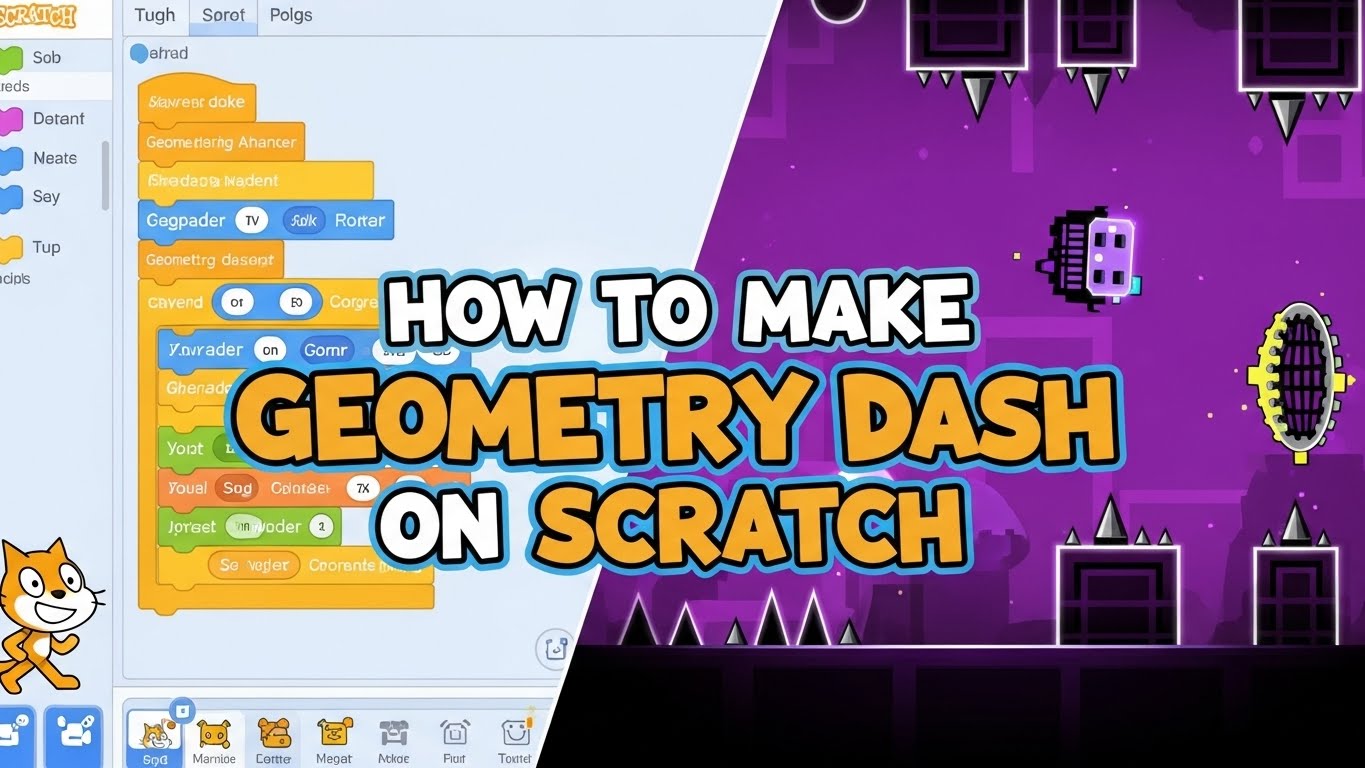







Geometry Dash is a fast-paced rhythm-based platformer that tests your reflexes, timing, and patience. If you’ve just downloaded this addictive game and want to understand how to play, you’re in the right place. This comprehensive guide explains everything from basic controls to advanced techniques, helping you progress from complete beginner to confident player.
Whether you’re playing on mobile or PC, this guide covers the fundamentals of how to play Geometry Dash effectively, master the rhythm gameplay, and conquer your first levels without getting frustrated.
What is Geometry Dash? Understanding the Game Basics

Geometry Dash is a rhythm-based platformer created by Robert Topala (RobTop Games) where you control a geometric icon through obstacle-filled levels synced to energetic electronic music. The goal is simple: reach the end of the level without hitting any obstacles.
Core gameplay features:
- One-touch controls: Tap or click to jump
- Auto-scrolling levels: Your character moves forward automatically
- Instant death: One mistake means starting over
- Music synchronization: Obstacles align with the soundtrack
- Multiple game modes: Different forms with unique controls
The game’s appeal lies in its perfect blend of challenging gameplay, catchy music, and the satisfaction of finally completing a level after dozens (or hundreds) of attempts.
1. How to Play Geometry Dash: Basic Controls Explained
The first step in learning how to play Geometry Dash is mastering the simple yet precise control system.
Mobile Game Controls
On smartphones and tablets, mobile game controls are incredibly straightforward:
- Tap anywhere on the screen to jump
- Hold your finger down to fly or maintain altitude (in certain modes)
- Quick taps create small jumps
- Longer holds create extended jumps
There are no swipes, gestures, or complex button combinations—just tap and hold mechanics.
Keyboard Controls (PC/Mac)
For keyboard controls on desktop, you have multiple input options:
- Spacebar (most popular)
- Up Arrow
- W key
- Left Mouse Click
All perform the same jump action, so choose what feels most comfortable. Many experienced players prefer the spacebar for its size and accessibility.
Understanding Tap to Jump Mechanics
The tap to jump system is deceptively simple but requires precision:
- Single tap: Makes your icon jump upward; gravity brings it back down
- Multiple taps: Create a hopping motion for navigating consecutive obstacles
- Hold: Keeps certain game modes (like Ship) airborne continuously
Input delay is critical to understand—there’s a tiny lag between pressing and your icon responding. As levels get faster, you’ll need to press slightly earlier than you think, developing muscle memory through practice.
Pro Tips for Controls
- Practice on the first level to feel your device’s response time
- Use consistent input pressure—frantic button mashing reduces accuracy
- On mobile, find a comfortable thumb or finger position
- On PC, keep your hand relaxed to avoid tension and mis-timed inputs
2. Understanding Rhythm Gameplay and Auto-Scrolling Levels
Unlike traditional platformers where you control both horizontal and vertical movement, Geometry Dash features auto-scrolling levels that move forward automatically at a fixed speed.
How Auto-Scrolling Changes Gameplay
What auto-scrolling means:
- You cannot slow down to study obstacles
- You cannot move backward (except in Practice Mode)
- You cannot stop—constant forward momentum
- Timing becomes everything
This design creates intense pressure but also means each level is perfectly consistent. Every obstacle appears at the exact same moment every time, allowing you to memorize patterns and improve through repetition.
The Rhythm Gameplay Element
This is where Geometry Dash separates itself from typical platformers. The music isn’t just background—it’s your guide to success.
How to use rhythm gameplay:
- Listen actively: Don’t mute the game or play your own music
- Identify beat patterns: Jumps typically align with drum beats or melody notes
- Use the music for timing: Audio cues help you anticipate obstacles before seeing them
- Count rhythms: Many sections follow predictable patterns (every 2nd beat, every 4th beat)
Beat cues in the soundtrack telegraph upcoming obstacles. A music drop often signals a difficulty increase, while steady rhythms indicate consistent jump patterns.
Spike Avoidance: Your Primary Challenge
Spikes are the most common hazard—touching one means instant death. Spike avoidance requires:
- Understanding jump height and trajectory
- Timing jumps to clear floor spikes without hitting ceiling obstacles
- Recognizing spike patterns (single, double, triple formations)
- Learning when to jump early versus late
The combination of auto-scrolling and spike avoidance creates the core challenge: you must make split-second decisions at high speed with no room for error.
3. Starting Your Journey: First Levels to Play
When you first open Geometry Dash, you’re presented with a row of official levels. Starting with the right one is crucial for building skills without overwhelming frustration.
Level 1: Stereo Madness (Your Starting Point)
Stereo Madness is the first official level and perfect for learning how to play Geometry Dash:
- Difficulty: Easy (1-star)
- What it teaches: Basic jump timing, rhythm recognition, simple spike patterns
- Average attempts: 50-200 for first-time completion
This level introduces you to fundamental mechanics at a manageable pace. Don’t feel discouraged if it takes many attempts—this is completely normal and part of the learning process.
Recommended Progression Path
After completing Stereo Madness, follow this progression:
- Back On Track (Easy, 2-star): Introduces Ship mode where you hold to fly
- Polargeist (Normal, 3-star): Your first Normal difficulty with faster sections
- Dry Out (Normal, 4-star): Combines multiple game modes in one level
- Base After Base (Hard, 5-star): Tests everything you’ve learned
Each level builds upon previous skills. Don’t skip ahead—the difficulty curve exists to teach mechanics progressively.
Setting Realistic Expectations
Understanding typical attempt counts helps manage expectations:
- Stereo Madness: 50-200 attempts (beginners)
- Back On Track: 100-300 attempts
- Polargeist: 200-500+ attempts
These are averages—everyone learns at different speeds. The key is persistence and learning from each failure.
4. How to Use Practice Mode Effectively
Practice Mode is the most important tool for learning how to play Geometry Dash, yet many beginners either ignore it or use it incorrectly.
What Practice Mode Does
Practice Mode (activated via the wrench icon before starting a level) allows you to place practice checkpoints represented by green orbs. When you die, you respawn at your last checkpoint instead of restarting the level.
Benefits of Practice Mode:
- Learn difficult sections without replaying the entire level
- Build muscle memory for specific obstacles
- Reduce frustration during the learning process
- Identify exactly where you need improvement
- Test strategies without penalty
Strategic Checkpoint Placement
Don’t spam checkpoints randomly—use them intelligently:
Effective checkpoint strategy:
- Place checkpoints before sections you’re struggling with
- Add checkpoints after difficult transitions to practice what follows
- Create checkpoints before mode changes (entering Ship, Ball, etc.)
- Space them to practice 3-5 second segments at a time
The Practice Mode Learning Process
Follow this proven workflow:
- First run: Play through in Practice Mode, placing checkpoints every few seconds
- Identify problem areas: Note which sections cause the most deaths
- Isolated practice: Respawn at checkpoints before difficult sections and practice repeatedly
- Consistency test: Once you can pass a section 10 times in a row, move forward
- Full practice runs: Eventually attempt full Practice Mode runs without dying
- Normal Mode transition: When you reach 80-90% consistently, try Normal Mode
Important Limitation
Practice Mode progress doesn’t count toward completion. You must beat levels in Normal Mode to:
- Unlock subsequent levels
- Earn stars and achievements
- Collect rewards
Think of Practice Mode as training and Normal Mode as the exam.
5. Game Modes, Obstacles, and Portal Types
As you progress in learning how to play Geometry Dash, you’ll encounter various gameplay modes accessed through colored portals. Each mode has unique controls and physics.
Common Obstacles and Hazards
Spikes: The primary killer—instant death on contact. Found on floors, ceilings, and walls.
Platforms: Safe landing surfaces in various lengths and heights.
Jump Pads: Yellow glowing pads that automatically bounce you upward when touched. No input required—they activate on contact.
Jump Orbs: Circular orbs that only work when you tap while touching them. Unlike Jump Pads, these require active input:
- Yellow orbs: Standard jump boost
- Pink orbs: Higher jump
- Blue orbs: Reverse gravity
Saw Blades: Rotating hazards that kill on contact, often moving in patterns.
Moving Platforms: Platforms that shift position, requiring timing adjustments.
The Six Main Game Modes (Portal Types)
Cube (Default): Your starting form. Tap to jump over obstacles and land on platforms. Standard platforming mechanics.
Ship (Blue Portal):
- Hold to fly upward, release to descend
- Continuous altitude control required
- Smoothness is key—avoid jerky movements
- Navigate through tight vertical spaces
Ball (Orange Portal):
- Tap to flip gravity
- Roll continuously along surfaces
- Each tap switches between floor and ceiling
- Requires rhythm to avoid spikes on both surfaces
UFO (Cyan Portal):
- Tap for instant vertical boosts
- Each tap provides a fixed upward jump with no momentum
- More controlled than Cube jumping
- Great for precise vertical navigation
Wave (Pink Portal):
- Hold to move upward diagonally, release to move downward
- No landing on platforms—continuous wavy motion
- Most challenging mode for beginners
- Requires smooth, controlled inputs
Robot (Green Portal):
- Similar to Cube but with higher, heavier jumps
- Hold for maximum height, tap for shorter hops
- Falls faster with more impact
- Better for clearing tall obstacles
Spider (Purple Portal):
- Tap to instantly teleport to opposite surface
- No jump arc—immediate gravity flip
- Precise timing essential
- Common in dual-gravity sections
Mastering Portal Transitions
When learning how to play Geometry Dash effectively:
- Anticipate mode changes: Prepare your input as you approach portals
- Practice each mode individually: Early levels focus on specific modes
- Learn the physics: Each mode has unique momentum and control feel
- Visual recognition: Train yourself to instantly identify portal colors
6. Mastering Timing, Precision, and Jump Techniques
Once you understand the basics of how to play Geometry Dash, the next step is refining your timing and precision.
The Critical Importance of Jump Timing
Jump timing separates struggling players from successful ones. Perfect timing requires:
Visual timing:
- Observe the distance between your icon and obstacles
- Note obstacle height relative to your position
- Track spacing between consecutive hazards
Audio timing:
- Use beat cues from the music
- Jump on drum beats or melody accents
- Count rhythmic patterns for consistency
- Let the soundtrack guide your inputs
Precision Jump Techniques
Precision jumps are frame-perfect inputs for tight spaces:
Early jumping: For fast sections, press slightly before you think necessary to account for input delay.
Late jumping: Some gaps require holding off until the last moment for proper trajectory.
Buffer jumping: Pressing input just before landing causes an immediate jump on touchdown.
Common precision scenarios:
- Triple spikes: Three spikes requiring perfectly spaced taps
- Low ceilings: Avoiding both floor and ceiling hazards
- Tight gaps: Exact jump height needed—too high or low means death
Hold vs. Tap Decision Making
Knowing when to hold versus tap is essential:
Use taps for:
- Quick short jumps over single spikes
- Rapid consecutive obstacles
- Cube and UFO mode navigation
- Tight spacing requiring multiple quick inputs
Use holds for:
- Ship mode altitude maintenance
- Wave mode controlled movement
- Robot mode maximum jump height
- Clearing wide gaps needing extended air time
Rhythm Training for Better Timing
Improve your rhythm training with these exercises:
- Play with headphones: Hear subtle audio cues clearly
- Tap along first: Before attempting a level, tap to the beat without playing
- Audio-only practice: On memorized sections, rely purely on rhythm
- Watch completion videos: Observe experienced players’ timing
- Count out loud: Verbalize the rhythm pattern while playing
7. Tips for Consistent Improvement and Progress
Now that you understand how to play Geometry Dash, these advanced tips will accelerate your improvement.
Practice in Focused Sessions
Short, quality sessions beat long, exhausted ones:
- Practice in 20-30 minute sessions
- Take 5-10 minute breaks between sessions
- Stop when performance declines noticeably
- Return with fresh focus and energy
Your brain consolidates muscle memory during rest, so breaks actually improve performance.
Study Successful Players
Watch gameplay videos of players completing your target levels:
- Observe their timing patterns
- Note when they hold versus tap
- Learn optimal routes through complex sections
- See what’s possible with proper technique
YouTube and in-game menus provide completion videos for study.
Optimize Technical Performance
Technical issues can limit your progress:
Reduce input lag:
- Close background apps on mobile
- Enable “Do Not Disturb” to prevent interruptions
- Disable V-Sync on PC if delay is noticeable
- Use gaming mode on Android devices
Maintain smooth performance:
- Lower graphics settings if experiencing frame drops
- Keep device cool—overheating causes slowdown
- Update to the latest game version
- Restart your device before long practice sessions
Embrace the Learning Process
How to play Geometry Dash successfully requires patience:
- Every death teaches something: Analyze what went wrong
- Celebrate incremental progress: Reaching a new best percentage matters
- Accept inconsistency: Some days you’ll perform worse—that’s normal
- Focus on improvement over completion: Getting 5% further is success
The players who master this game aren’t necessarily the most talented—they’re the most persistent and analytical.
Track Your Progress
Maintaining awareness helps target improvements:
- Record your best percentage on each level
- Note which sections you’ve mastered versus struggle with
- Count attempts (satisfying to review later)
- Identify recurring mistakes for focused practice
Join the Community
The Geometry Dash community offers valuable resources:
- Tutorial videos for specific levels
- Strategy discussions on forums and Reddit
- Encouragement from players who’ve faced the same challenges
- Tips from experienced players
You’re not alone in finding this game difficult—millions have been exactly where you are.
8. Customizing Your Icon and Profile
While learning how to play Geometry Dash focuses on gameplay, customization adds personal flair and motivation.
Unlocking New Icons
Earn unlockable icons as you progress:
Unlock methods:
- Complete levels: Each official level rewards new icons
- Collect secret coins: Three hidden coins per level unlock special icons
- Open treasure chests: Earn keys by collecting orbs, then unlock chests
- Complete achievements: Various challenges grant icon rewards
- Purchase from shops: Use earned currency for shop items
Customization options:
- Icons: Change your character’s appearance for each mode
- Colors: Customize primary and secondary color schemes
- Trails: Add visual effects following your icon
- Death effects: Change explosion animations
Accessing Customization
To customize your player profile:
- Tap the garage icon (controller symbol) on the main menu
- Navigate tabs for different customization categories
- Preview unlocked options
- Apply your preferred combination
Your custom icon appears in-game and to other players on leaderboards.
Why Customization Matters
Beyond aesthetics, customization provides:
- Motivation: Goals beyond just completing levels
- Personal expression: Make the game feel uniquely yours
- Achievement display: Rare icons show your dedication
- Visual clarity: Some players track certain icons more easily
9. Common Mistakes to Avoid When Learning
Understanding how to play Geometry Dash means avoiding these typical beginner errors:
Mistake #1: Skipping Practice Mode
The problem: Attempting levels only in Normal Mode, dying repeatedly at the same spot.
The solution: Use Practice Mode to master difficult sections before full attempts. This accelerates learning dramatically.
Mistake #2: Rushing Progression
The problem: Trying to jump to harder levels before mastering easier ones.
The solution: Follow the intended progression. Each level teaches skills needed for the next. Master fundamentals first.
Mistake #3: Playing Without Audio
The problem: Muting music or playing with different audio.
The solution: Always play with the game’s soundtrack. The music contains crucial beat cues for timing.
Mistake #4: Spamming Inputs
The problem: Frantically tapping or holding, hoping something works.
The solution: Practice deliberate, controlled inputs. Each tap should be intentional and rhythmic.
Mistake #5: Poor Timing Recognition
The problem: Consistently jumping too early or too late on precision jumps.
The solution: Study obstacle spacing. Use music for timing cues. Build muscle memory through repetition.
Mistake #6: Playing While Frustrated
The problem: Continuing attempts when angry, tired, or tilted.
The solution: Take breaks when frustration builds. Your best performance comes with a clear, calm mind.
Mistake #7: Not Analyzing Deaths
The problem: Dying repeatedly without adjusting strategy.
The solution: After each death, identify the cause and adjust. Learn from mistakes instead of repeating them.
Mistake #8: Unrealistic Comparisons
The problem: Comparing yourself to expert players with thousands of hours of practice.
The solution: Focus on personal improvement. Compare yourself to your past performance, not to experts.
Final Thoughts: Your Path to Mastering Geometry Dash
Learning how to play Geometry Dash is a journey that demands patience, precision, and persistence. This rhythm-based platformer doesn’t hold your hand—it challenges you to improve through repeated attempts, developing muscle memory and rhythm training along the way.
Key takeaways for success:
✓ Master the fundamentals: Controls, timing, and rhythm form your foundation ✓ Use Practice Mode effectively: It’s your most valuable learning tool ✓ Follow the progression: Don’t skip levels—each teaches essential skills ✓ Listen to the music: The soundtrack contains your timing cues ✓ Embrace repetition: Improvement comes through consistent practice ✓ Stay patient: Every expert was once a beginner ✓ Take breaks: Fresh focus yields better performance
Whether you’re tackling Stereo Madness for the first time or progressing through more challenging levels, remember that every failed attempt teaches something valuable. The auto-scrolling levels, demanding spike avoidance, and required precision jumps are what make each completion so rewarding.
Now you have a comprehensive understanding of how to play Geometry Dash. Load up that first level, put on your headphones, and start building your skills. With practice, patience, and the techniques in this guide, you’ll progress from frustrated beginner to confident player.
The rhythm is calling—it’s time to jump in!