




Geometry Dash terminology can feel confusing at first, especially for new players. The game uses many unique terms that describe gameplay mechanics, difficulty levels, icons, modes, and community concepts. Understanding these terms helps players improve faster, follow guides more easily, and communicate better with the Geometry Dash community.
This guide explains the most important Geometry Dash terms in simple language so beginners and casual players can clearly understand how the game works.
Why Understanding Geometry Dash Terminology Matters
Geometry Dash is more than just tapping to jump. It has a large player community, custom levels, and advanced mechanics. Players often use short terms like “Demon,” “Wave,” or “Practice Mode” without explanation.
When you understand Geometry Dash terminology, you can:
- Follow tutorials and guides more easily
- Understand level difficulty and progression
- Communicate clearly with other players
- Improve your gameplay strategy
If you are new to the game, you may also want to read What Is Geometry Dash? to understand the basics before diving into terminology.
Core Geometry Dash Gameplay Terms
These are the most common terms every player should know.
Geometry Dash
Geometry Dash is a rhythm-based platform game where players control a geometric icon through obstacle-filled levels synced to music.
Level
A level is a playable stage in Geometry Dash. Levels can be official levels created by the developer or custom levels created by the community.
Attempt
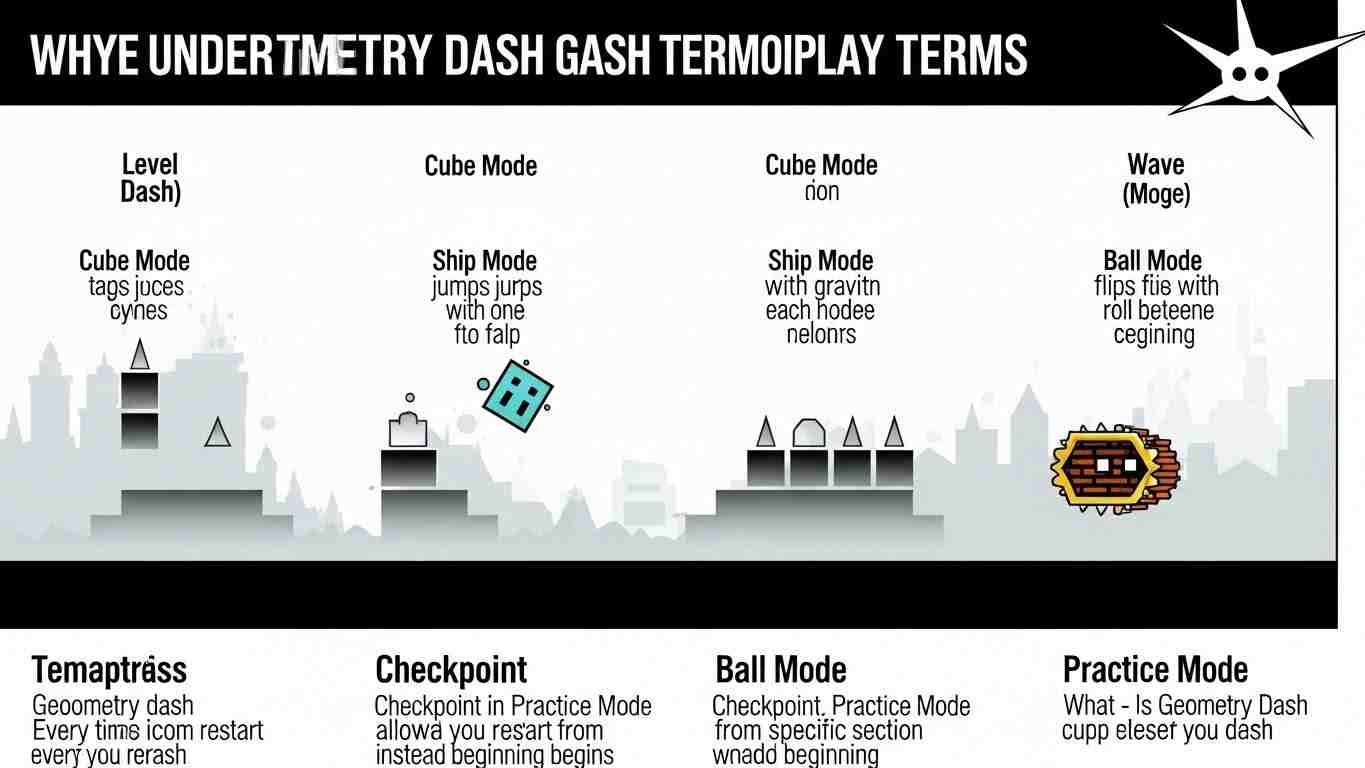
An attempt is one full try at completing a level. Every time you restart or crash, a new attempt begins.
Checkpoint
A checkpoint is a saved point in Practice Mode that allows players to restart from a specific section instead of the beginning.
Geometry Dash Game Modes Terminology
Geometry Dash includes multiple gameplay modes, each changing how the icon moves.
Cube Mode
Cube Mode is the default gameplay mode. The cube jumps over spikes and obstacles when the player taps or clicks.
Ship Mode
Ship Mode allows the icon to fly up and down. Holding the button makes the ship rise, while releasing makes it fall.
Ball Mode
Ball Mode flips gravity with each tap, causing the icon to roll between the floor and ceiling.
Wave Mode
Wave Mode moves the icon in sharp diagonal lines. It requires precise timing and is considered one of the hardest modes.
UFO Mode
UFO Mode causes the icon to hop upward slightly with each tap, similar to bouncing.
Difficulty and Level Rating Terminology
Geometry Dash uses specific terms to describe how hard a level is.
Easy, Normal, Hard
These are basic difficulty levels for beginner players. They introduce core mechanics at a slower pace.
Harder and Insane
These levels require faster reactions, better timing, and stronger rhythm control.
Demon
Demon is the highest difficulty rating in Geometry Dash. Demon levels are extremely challenging and require advanced skill.
Easy Demon, Medium Demon, Hard Demon, Insane Demon, Extreme Demon
These terms describe subcategories of Demon difficulty, with Extreme Demon being the hardest.
Practice and Progression Terms
These terms are related to learning and improving in Geometry Dash.
Practice Mode
Practice Mode allows players to place checkpoints and practice difficult sections without restarting the entire level.
Normal Mode
Normal Mode is the standard way to play a level from start to finish without checkpoints.
Percentage Progress
This shows how much of a level you have completed. For example, reaching 75% means you finished three-quarters of the level.
Completion
Completion means successfully finishing a level from start to end in Normal Mode.
Geometry Dash Icons and Customization Terms
Customization is a major part of Geometry Dash.
Icon
An icon is the shape that represents the player during gameplay, such as a cube or ship.
Color Channels
Color channels allow players to change the primary and secondary colors of their icon.
Trails
Trails are visual effects that appear behind the icon while moving.
Unlockables
Unlockables are icons, colors, or effects earned by completing achievements or levels.
Level Creation and Community Terminology
Geometry Dash has a strong level-creation community with its own terminology.
Custom Level
A custom level is created by a player using the level editor instead of being an official level.
Level Editor
The Level Editor is the tool used to design custom Geometry Dash levels.
Creator
A creator is a player who designs and publishes custom levels.
Featured Level
A featured level is a high-quality custom level highlighted by the game.
Rated Level
A rated level is a level that has been officially given a difficulty rating and rewards stars.
Advanced Geometry Dash Gameplay Terms
These terms are commonly used by experienced players.
Timing
Timing refers to jumping or tapping at the exact right moment to avoid obstacles.
Hitbox
A hitbox is the invisible area around an object that detects collisions.
Memory Level
A memory level requires players to remember patterns instead of reacting visually.
Sync
Sync means how well the gameplay matches the music rhythm.
Geometry Dash Progress and Reward Terms
These terms describe rewards and achievements.
Stars
Stars are earned by completing rated levels and are used to track progress.
Coins
Coins are collectibles hidden in levels that unlock rewards.
Demon Keys
Demon Keys are earned by collecting stars and are used to unlock special rewards.
Common Geometry Dash Community Slang
Players often use shorthand terms when talking online.
GD
GD is a shortened name for Geometry Dash.
GG
“GG” means “good game” and is used to congratulate players after completing a level.
Buffed and Nerfed
“Buffed” means a level was made harder. “Nerfed” means it was made easier.
How Geometry Dash Terminology Helps You Improve
Knowing Geometry Dash terminology makes it easier to:
- Follow tutorials and walkthroughs
Understand level difficulty discussions - Learn advanced techniques
- Participate in the community
If you are still learning the basics, reading How to Play Geometry Dash can help you apply these terms in real gameplay.
Final Thoughts on Geometry Dash Terminology
Geometry Dash terminology may seem overwhelming at first, but once understood, it makes the game far more enjoyable. Knowing the meaning behind common terms helps players improve faster, understand guides, and feel more confident within the community.
Whether you are a beginner or an experienced player, mastering Geometry Dash terminology is a key step toward mastering the game itself.